I'm currently developing a grouping function of rows for version 5.2, which is the next version of PlutoGrid 5.1.
[Done] Grouping of rows structured by columns
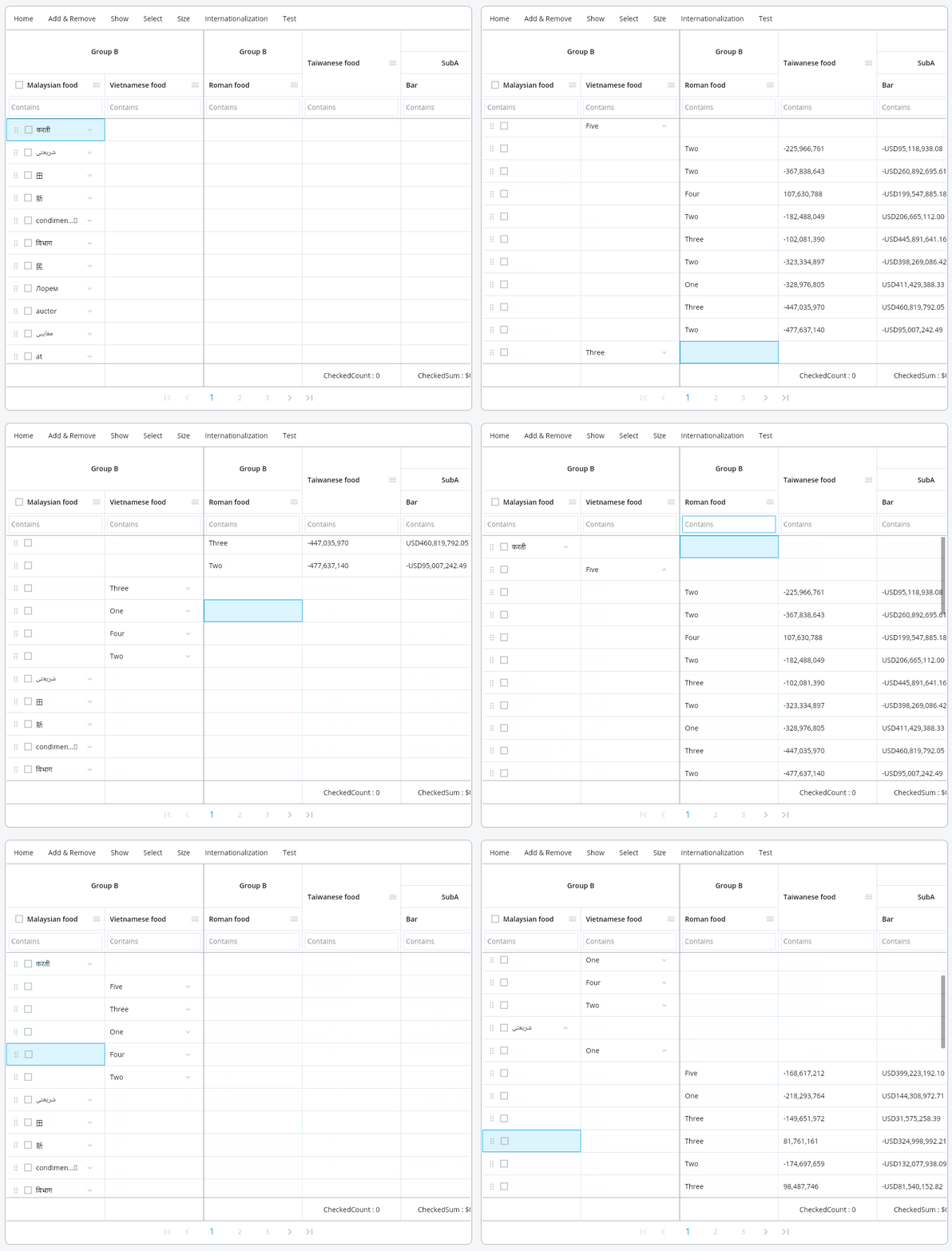
- Group multiple rows by column. (2 columns in the image)
- Dynamically change or ungroup grouping status
- Add or delete rows while grouped (multi-select possible)
[Done] Sort in grouped state
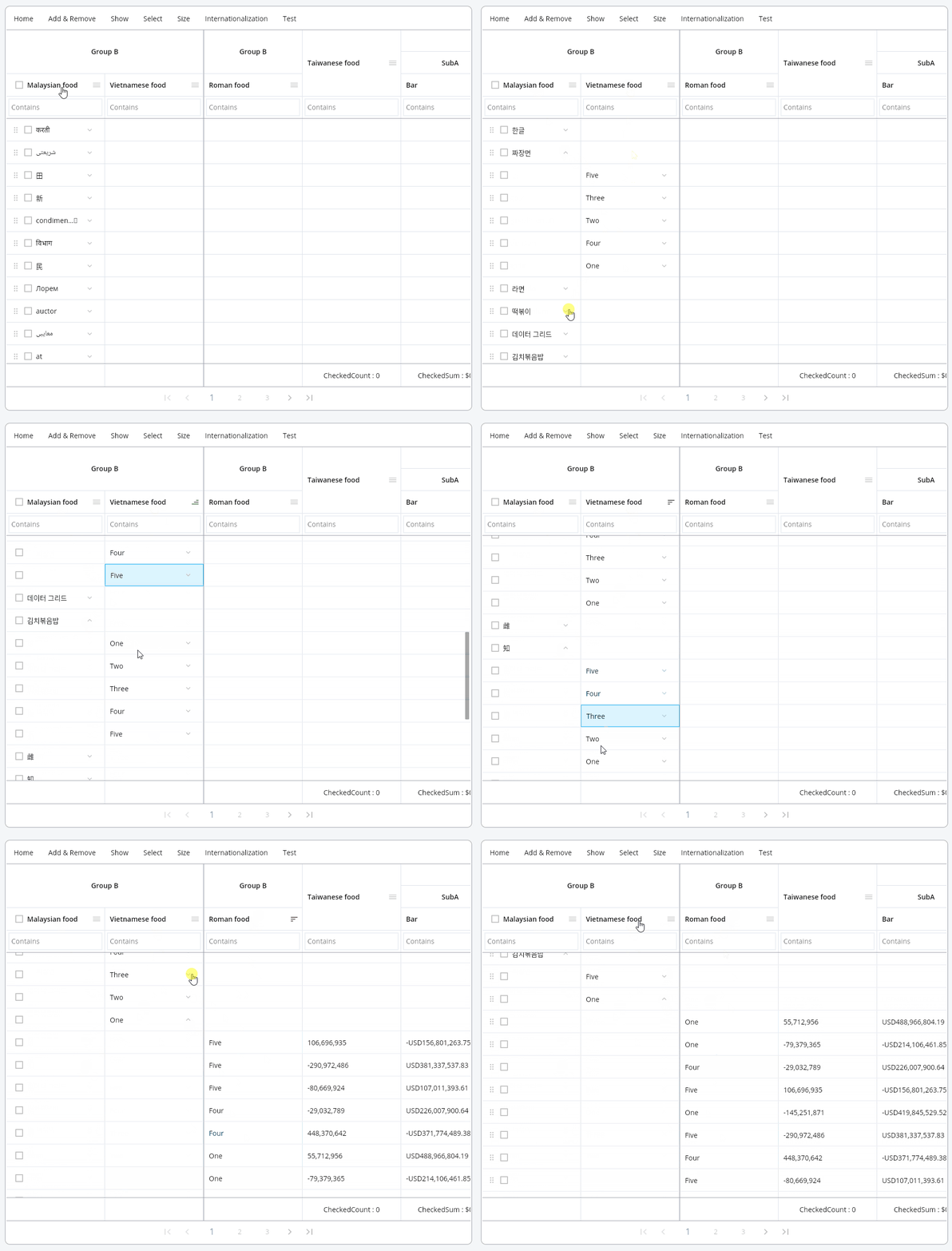
- Sort rows while maintaining group status
[Done] Filtering in grouped state
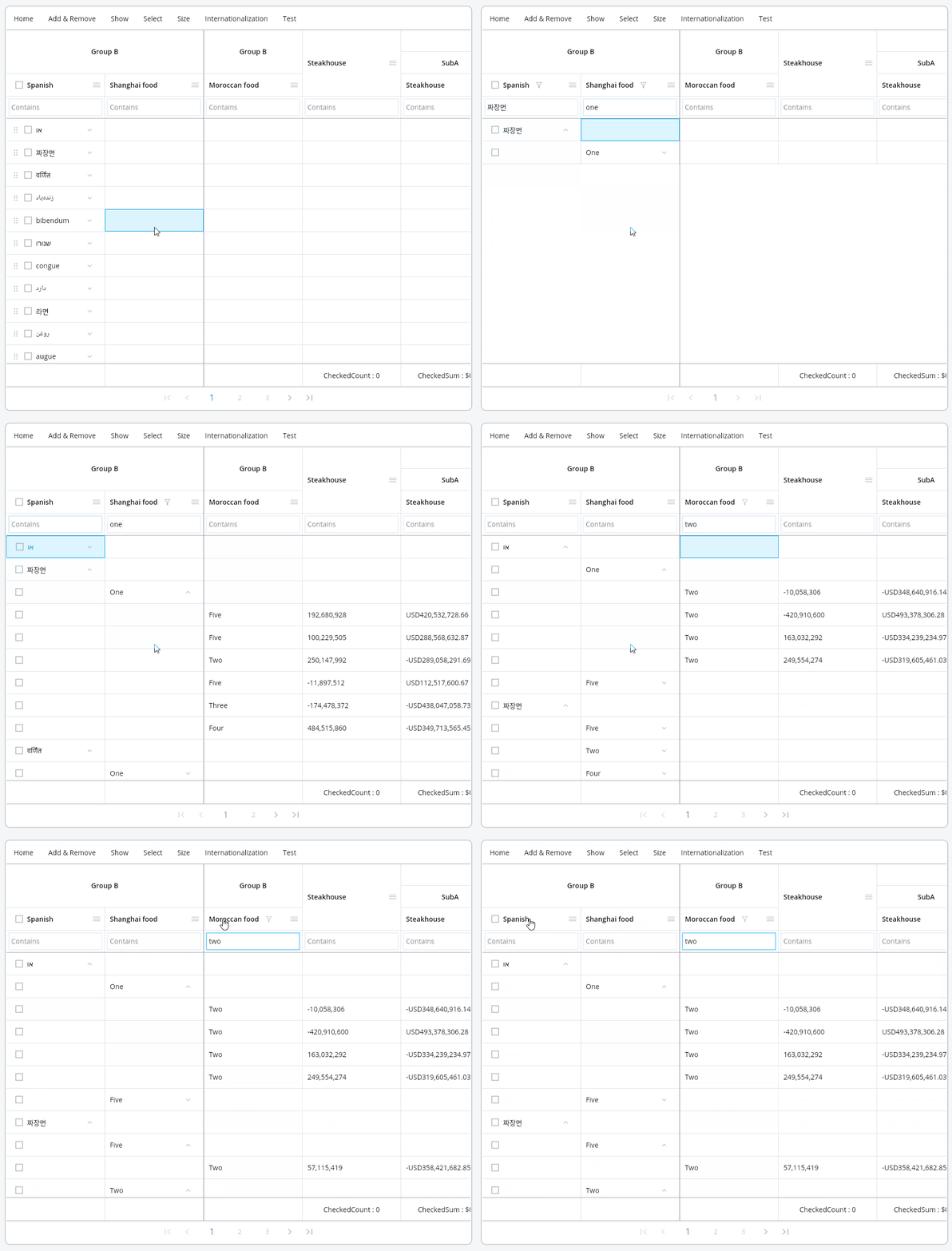
- Filter rows while maintaining group status
[Done] Pagination in grouped state
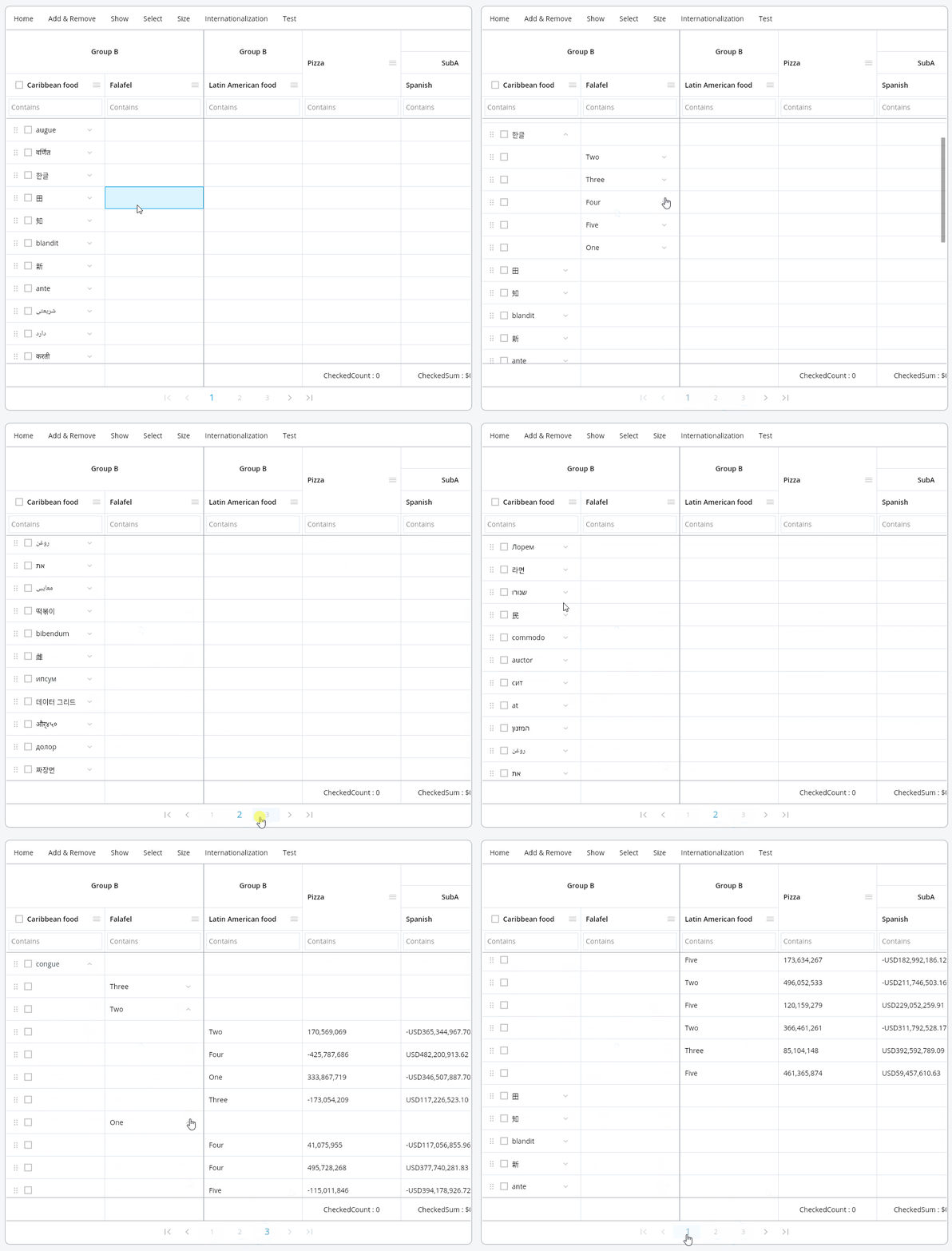
- Pagination while maintaining group status
[Development] Drag and move rows in a grouped state
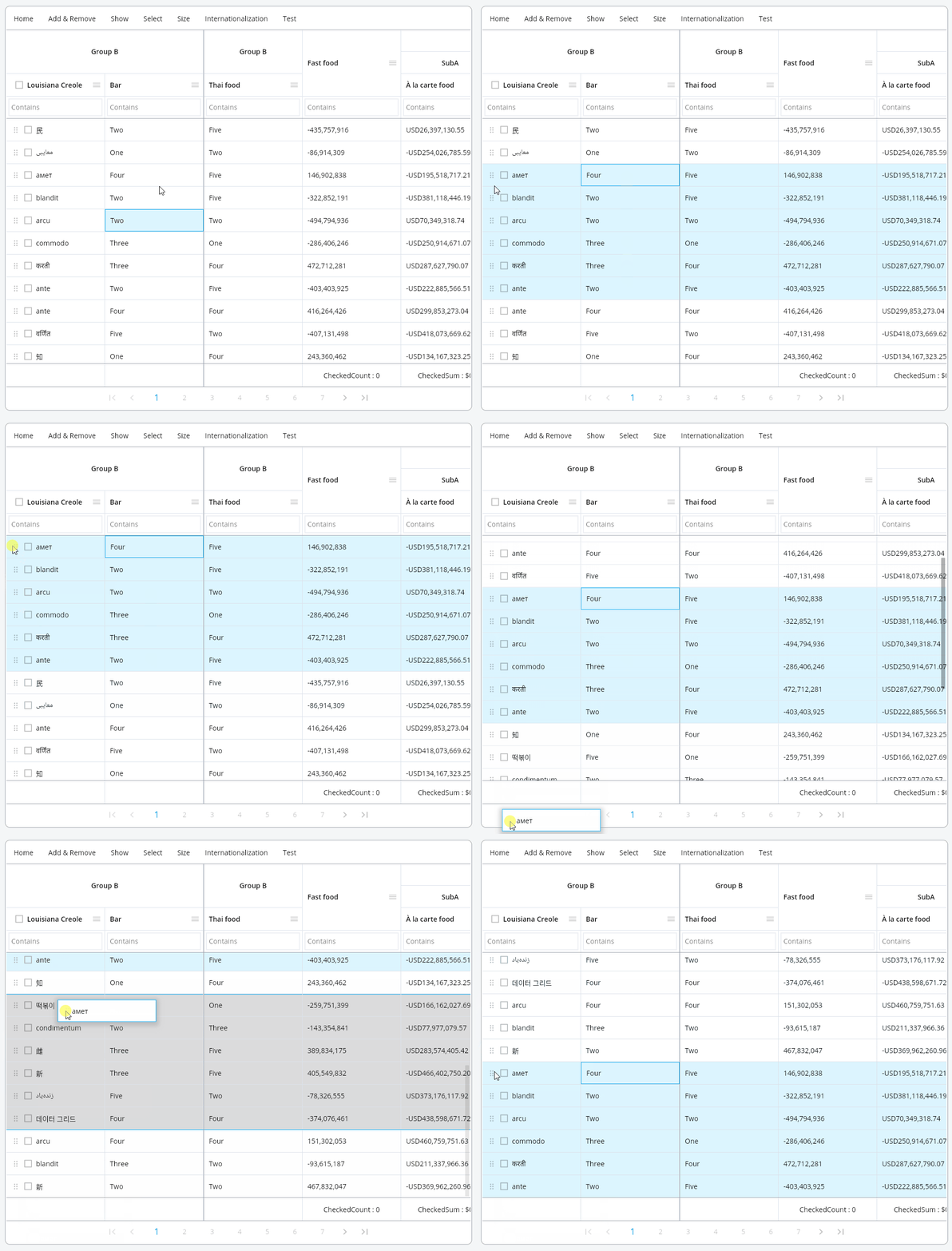 As in the image above, in the previous version, drag the selected row to move it.
However, complex planning needs to be considered when trying to select and drag a specific row in a grouped state as shown in the image below.
As in the image above, in the previous version, drag the selected row to move it.
However, complex planning needs to be considered when trying to select and drag a specific row in a grouped state as shown in the image below.
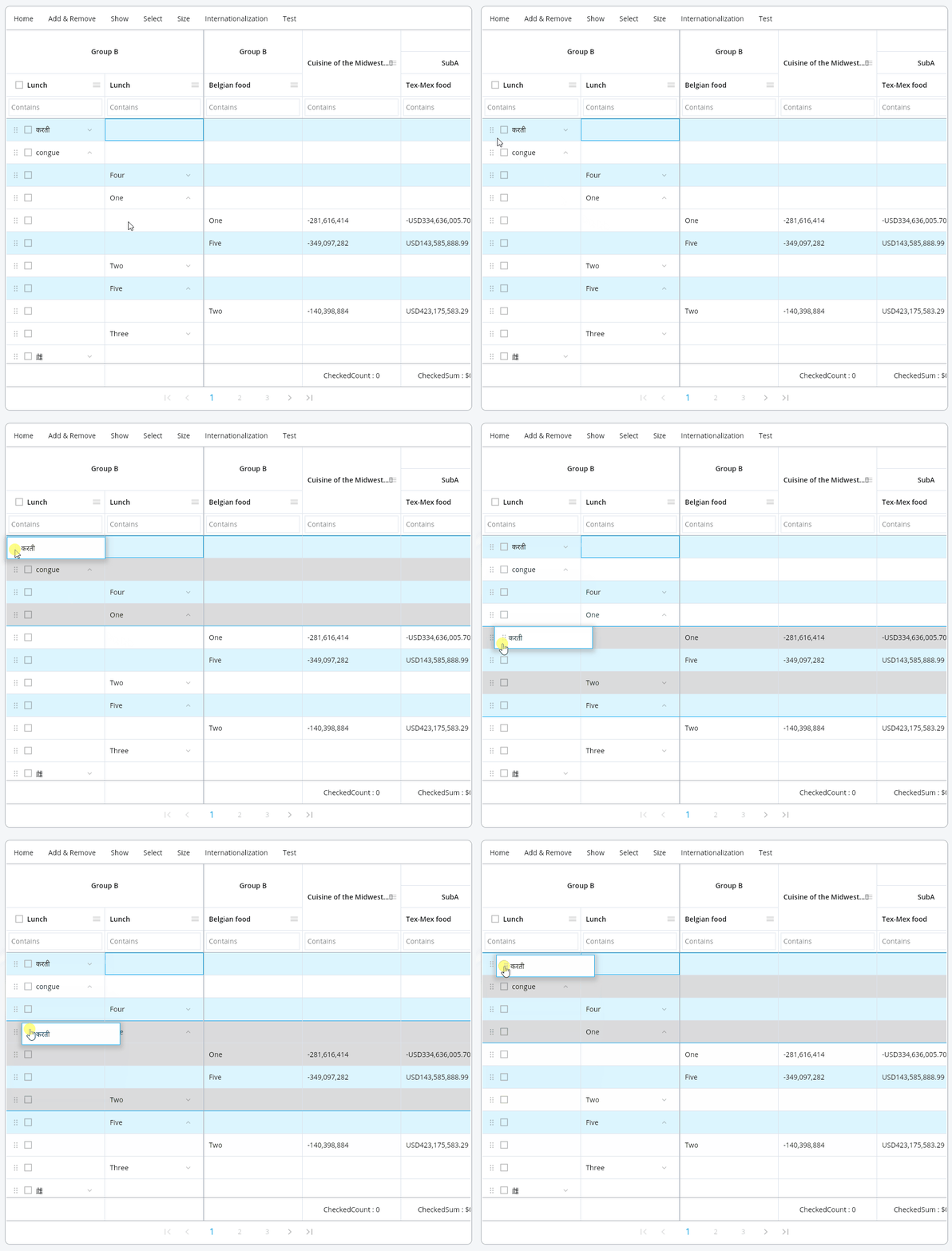 As in the image above, when the user tries to move selected specific rows by dragging, the row must be moved according to the grouped state.
Movement of selected rows in a grouped state
Move all children to another group
- parent should be deleted
Move grouped rows to another parent group
- If the parent group to be moved already has a group with the same key, there is a key conflict problem. The children of the group to be moved must be added as children of an existing group.
Group row discards children and moves to another location
- The children of the group must also move along with the group. (UI considerations as to whether or not to select all children when a group row is selected)
Group row moves to non-group row position
- After moving the children of the group row, the group must be deleted.
These problems are possible enough for development, but it will be necessary to plan the UI so that there is no confusion such as a group being deleted or an unselected row being moved when a row is moved from the user's point of view.
If you have a good, simple idea, please comment on my GitHub issue. https://github.com/bosskmk/pluto_grid/issues
If this problem is not easily solved with the function of moving the selected row in a grouped state, I plan to distribute only this part in the next version.
About the author
I've mainly been doing backend web development. I also have a technology for web front-end, and recently I mainly develop Flutter packages.
Comments
Join the discussionNo comments yet. Be the first to comment.
PlutoGrid
PlutoGrid is a data grid. It is a Flutter package that allows you to easily edit large amounts of data with the keyboard. It can be used on any platform supported by Flutter.