Default properties of rows
Rows should be passed as a List<PlutoRow> type to the rows property when creating a PlutoGrid.
It can also be passed as an empty list.
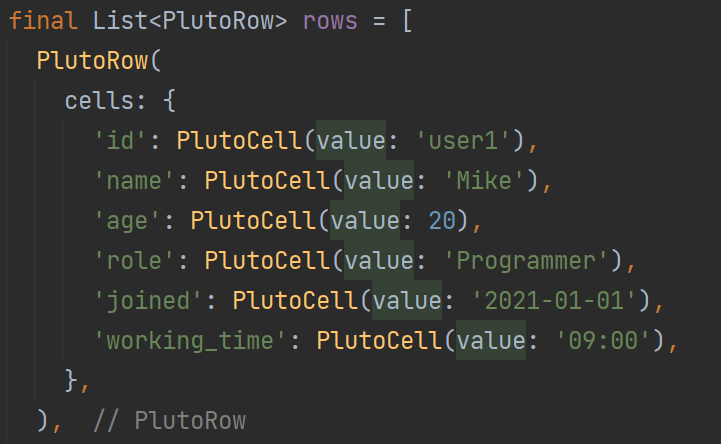
final List<PlutoRow> rows = [
  PlutoRow(
    cells: {
      'id': PlutoCell(value: 'user1'),
      'name': PlutoCell(value: 'Mike'),
      'age': PlutoCell(value: 20),
      'role': PlutoCell(value: 'Programmer'),
      'joined': PlutoCell(value: '2021-01-01'),
      'working_time': PlutoCell(value: '09:00'),
    },
  ),
];

Widget build(BuildContext context) {
  return Scaffold(
    body: Container(
      padding: const EdgeInsets.all(15),
      child: PlutoGrid(
        columns: columns,
        rows: rows,
      ),
    ),
  );
}
cells should be set to Map<String, PlutoCell> type with the PlutoColumn.field value set when creating columns as a key.
PlutoRow(checked: true);
The checked property is whether the checkbox is checked when PlutoColumn.enableRowChecked is set to true.
This value can be set at startup, and the value can be changed during runtime during grid operation.
PlutoRow(sortIdx: 0);
The sortIdx value indicates the first sort state of the row. When creating a grid, this value is automatically set according to the list order. If this value is set, this value is not automatically set when the grid is created.
This value is used to return to the original sort state when the sort state of rows is changed.
Default properties of cells
Cells should be set to match the value of PlutoColumn.field when creating PlutoRow.PlutoCell.value must be set to a value that matches PlutoColumn.type. (text, number, date, etc.)
If PlutoColumn.type is a type with a format such as number or date, the value of PlutoCell.value can be changed according to the format. (if PlutoColumn.applyFormatterInEditing value is set to true)
PlutoRow(
  cells: {
    'id': PlutoCell(value: 'user1'),
    'name': PlutoCell(value: 'Mike'),
    'age': PlutoCell(value: 20),
    'role': PlutoCell(value: 'Programmer'),
    'joined': PlutoCell(value: '2021-01-01'),
    'working_time': PlutoCell(value: '09:00'),
  },
),
About the author
I've mainly been doing backend web development. I also have a technology for web front-end, and recently I mainly develop Flutter packages.
Comments
Join the discussionNo comments yet. Be the first to comment.
PlutoGrid
PlutoGrid is a data grid. It is a Flutter package that allows you to easily edit large amounts of data with the keyboard. It can be used on any platform supported by Flutter.